Convert your Website into Professional Android App Using Android Studio
 •
App Development
•
5 min read
•
App Development
•
5 min read
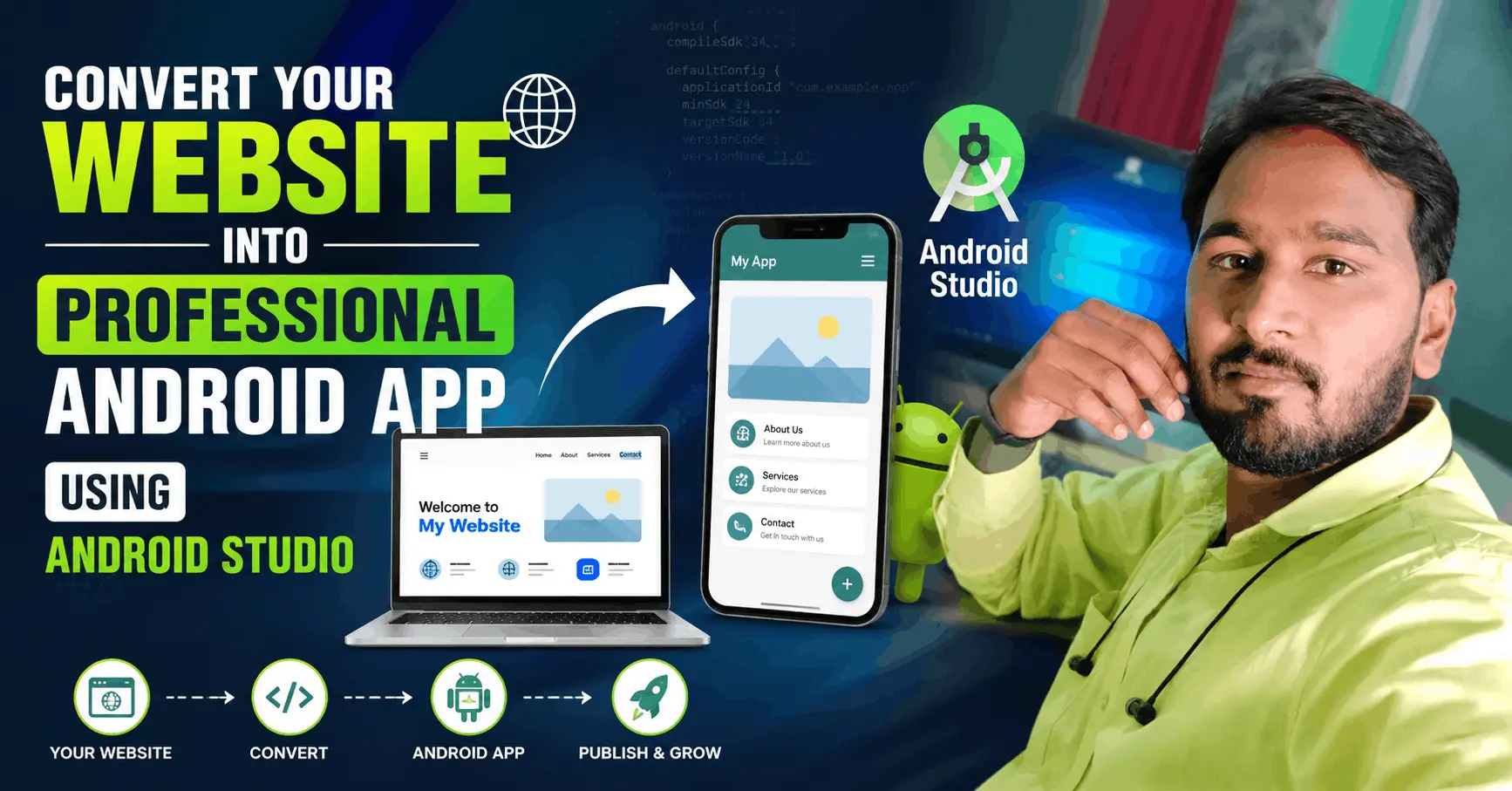
Summary: Learn how to convert any website into a professional Android application using Android Studio. Get the complete step-by-step developer guide and source code download.
Convert your Website into Professional Android App Using Android Studio Source code Download Free.
Table of Contents
1. WebView Android App Code:
Activity_Main.xml
<WebView
  android:layout_width="fill_parent"
  android:layout_height="fill_parent"
  android:id="@+id/webView"
  android:layout_alignParentTop="true"
  android:layout_alignParentLeft="true"
  android:layout_alignParentStart="true"
  android:layout_alignParentBottom="true"
  android:layout_alignParentRight="true"
  android:layout_alignParentEnd="true"
  tools:ignore="MissingConstraints" />
MainActivity.java
import android.os.Bundle;
import android.webkit.WebView;
import android.webkit.WebViewClient;

import androidx.appcompat.app.AppCompatActivity;

public class MainActivity extends AppCompatActivity {

  String websiteURL = "https://coupon.technovedant.com/"; // sets web url
  private WebView webview;

  @Override
  protected void onCreate(Bundle savedInstanceState) {
    super.onCreate(savedInstanceState);
    setContentView(R.layout.activity_main);

    //Webview stuff
    webview = findViewById(R.id.webView);
    webview.getSettings().setJavaScriptEnabled(true);
    webview.getSettings().setDomStorageEnabled(true);
    webview.setOverScrollMode(WebView.OVER_SCROLL_NEVER);
    webview.loadUrl(websiteURL);
    webview.setWebViewClient(new WebViewClientDemo());

  }

  private class WebViewClientDemo extends WebViewClient {
    @Override
    //Keep webview in app when clicking links
    public boolean shouldOverrideUrlLoading(WebView view, String url) {
      view.loadUrl(url);
      return true;
    }
  }

}
AndroidManifest.xml
<uses-permission android:name="android.permission.INTERNET" />2. Internet Connection Error:
AndroidManifest.xml
<uses-permission android:name="android.permission.ACCESS_NETWORK_STATE"/>MainActivity.java
import android.app.AlertDialog;
import android.content.Context;
import android.content.DialogInterface;
import android.net.ConnectivityManager;
import android.net.NetworkInfo;
import android.os.Bundle;
import android.util.Log;
import android.webkit.WebView;
import android.webkit.WebViewClient;

import androidx.appcompat.app.AppCompatActivity;

public class MainActivity extends AppCompatActivity {

  String websiteURL = "https://coupon.technovedant.com/"; // sets web url
  private WebView webview;

  @Override
  protected void onCreate(Bundle savedInstanceState) {
    super.onCreate(savedInstanceState);
    setContentView(R.layout.activity_main);

    if( ! CheckNetwork.isInternetAvailable(this)) //returns true if internet available
    {
      //if there is no internet do this
      setContentView(R.layout.activity_main);
      //Toast.makeText(this,"No Internet Connection, Chris",Toast.LENGTH_LONG).show();

      new AlertDialog.Builder(this) //alert the person knowing they are about to close
          .setTitle("No internet connection available")
          .setMessage("Please Check you're Mobile data or Wifi network.")
          .setPositiveButton("Ok", new DialogInterface.OnClickListener() {
            @Override
            public void onClick(DialogInterface dialog, int which) {
              finish();
            }
          })
          //.setNegativeButton("No", null)
          .show();

    }
    else
    {
      //Webview stuff
      webview = findViewById(R.id.webView);
      webview.getSettings().setJavaScriptEnabled(true);
      webview.getSettings().setDomStorageEnabled(true);
      webview.setOverScrollMode(WebView.OVER_SCROLL_NEVER);
      webview.loadUrl(websiteURL);
      webview.setWebViewClient(new WebViewClientDemo());

    }
  }


  private class WebViewClientDemo extends WebViewClient {
    @Override
    //Keep webview in app when clicking links
    public boolean shouldOverrideUrlLoading(WebView view, String url) {
      view.loadUrl(url);
      return true;
    }
  }


}

class CheckNetwork {

  private static final String TAG = CheckNetwork.class.getSimpleName();

  public static boolean isInternetAvailable(Context context)
  {
    NetworkInfo info = (NetworkInfo) ((ConnectivityManager)
        context.getSystemService(Context.CONNECTIVITY_SERVICE)).getActiveNetworkInfo();

    if (info == null)
    {
      Log.d(TAG,"no internet connection");
      return false;
    }
    else
    {
      if(info.isConnected())
      {
        Log.d(TAG," internet connection available...");
        return true;
      }
      else
      {
        Log.d(TAG," internet connection");
        return true;
      }

    }
  }
}
3. Back & Exit Feature:
MainActivity.java
//set back button functionality
@Override
public void onBackPressed() { //if user presses the back button do this
  if (webview.isFocused() && webview.canGoBack()) { //check if in webview and the user can go back
    webview.goBack(); //go back in webview
  } else { //do this if the webview cannot go back any further

    new AlertDialog.Builder(this) //alert the person knowing they are about to close
        .setTitle("EXIT")
        .setMessage("Are you sure. You want to close this app?")
        .setPositiveButton("Yes", new DialogInterface.OnClickListener() {
          @Override
          public void onClick(DialogInterface dialog, int which) {
            finish();
          }
        })
        .setNegativeButton("No", null)
        .show();
  }
}
4. Swipe Down to Refresh:
activity_main.xml
<androidx.swiperefreshlayout.widget.SwipeRefreshLayout
  android:id="@+id/swipeContainer"
  android:layout_width="match_parent"
  android:layout_height="match_parent">

  <WebView
    android:layout_width="fill_parent"
    android:layout_height="fill_parent"
    android:id="@+id/webView"
    android:layout_alignParentTop="true"
    android:layout_alignParentLeft="true"
    android:layout_alignParentStart="true"
    android:layout_alignParentBottom="true"
    android:layout_alignParentRight="true"
    android:layout_alignParentEnd="true"
    tools:ignore="MissingConstraints" />

</androidx.swiperefreshlayout.widget.SwipeRefreshLayout>
MainActivity.java
SwipeRefreshLayout mySwipeRefreshLayout;//Swipe to refresh functionality
mySwipeRefreshLayout = (SwipeRefreshLayout)this.findViewById(R.id.swipeContainer);
mySwipeRefreshLayout.setOnRefreshListener(
new SwipeRefreshLayout.OnRefreshListener() {
@Override
public void onRefresh() {
webview.reload();
}
}
);private class WebViewClientDemo extends WebViewClient {
@Override
//Keep webview in app when clicking links
public boolean shouldOverrideUrlLoading(WebView view, String url) {
view.loadUrl(url);
return true;
}
@Override
public void onPageFinished(WebView view, String url) {
super.onPageFinished(view, url);
mySwipeRefreshLayout.setRefreshing(false);
}
}5. Screen Rotation:
AndroidManifest.xml
android:screenOrientation="portrait">How To Create Splash Screen In Android Studio Java Code
How To Create Splash Screen In Android Studio Java source Code download free
SplashActivity.java
import androidx.appcompat.app.AppCompatActivity;
import android.content.Intent;
import android.os.Bundle;
import android.view.Window;
import android.view.WindowManager;
public class SplashActivity extends AppCompatActivity {
@Override
protected void onCreate(Bundle savedInstanceState) {
super.onCreate(savedInstanceState);
Window window = getWindow() ;
window.addFlags(WindowManager.LayoutParams.FLAG_FULLSCREEN);
setContentView(R.layout.activity_splash);
Thread splashTread = new Thread(){
@Override
public void run() {
try {
sleep(3000);
startActivity(new Intent(getApplicationContext(),MainActivity.class));
finish();
} catch (InterruptedException e) {
e.printStackTrace();
}
super.run();
}
};
splashTread.start();
}
}activity_splash
<?xml version="1.0" encoding="utf-8"?>
<LinearLayout xmlns:android="http://schemas.android.com/apk/res/android"
xmlns:app="http://schemas.android.com/apk/res-auto"
xmlns:tools="http://schemas.android.com/tools"
android:layout_width="match_parent"
android:layout_height="match_parent"
android:orientation="vertical"
tools:context=".SplashActivity">
<ImageView
android:layout_width="match_parent"
android:layout_height="300dp"
android:src="@drawable/logo"
android:scaleType="centerCrop"
android:padding="50dp"
android:layout_marginTop="220dp"/>
<ProgressBar
android:layout_width="220dp"
android:layout_height="10dp"
android:layout_gravity="center_horizontal"
style="?android:attr/progressBarStyleHorizontal"
android:max="100"
android:indeterminate="true"
android:progress="0"
android:layout_marginTop="100dp"
/>
</LinearLayout> AndroidManifest.xml
<!-- SplashActivity should be launcher -->
<activity
android:name=".SplashActivity"
android:exported="true"
android:screenOrientation="portrait">
<intent-filter>
<action android:name="android.intent.action.MAIN" />
<category android:name="android.intent.category.LAUNCHER" />
</intent-filter>
</activity>
<activity
android:name=".MainActivity"
android:exported="false"
android:screenOrientation="portrait" />MainActivity. java last file if you have any error copy this code finally
MainActivity.java
import android.app.AlertDialog;
import android.content.Context;
import android.content.DialogInterface;
import android.net.ConnectivityManager;
import android.net.NetworkInfo;
import android.os.Bundle;
import android.util.Log;
import android.webkit.WebView;
import android.webkit.WebViewClient;
import androidx.appcompat.app.AppCompatActivity;
import androidx.swiperefreshlayout.widget.SwipeRefreshLayout;
public class MainActivity extends AppCompatActivity {
String websiteURL = "https://youtube.com/technicalsangrah"; // sets web url
private WebView webview;
SwipeRefreshLayout mySwipeRefreshLayout;
@Override
protected void onCreate(Bundle savedInstanceState) {
super.onCreate(savedInstanceState);
setContentView(R.layout.activity_main);
if( ! CheckNetwork.isInternetAvailable(this)) //returns true if internet available
{
//if there is no internet do this
setContentView(R.layout.activity_main);
//Toast.makeText(this,"No Internet Connection, Chris",Toast.LENGTH_LONG).show();
new AlertDialog.Builder(this) //alert the person knowing they are about to close
.setTitle("No internet connection available")
.setMessage("Please Check you're Mobile data or Wifi network.")
.setPositiveButton("Ok", new DialogInterface.OnClickListener() {
@Override
public void onClick(DialogInterface dialog, int which) {
finish();
}
})
//.setNegativeButton("No", null)
.show();
}
else
{
//Webview stuff
webview = findViewById(R.id.webView);
webview.getSettings().setJavaScriptEnabled(true);
webview.getSettings().setDomStorageEnabled(true);
webview.setOverScrollMode(WebView.OVER_SCROLL_NEVER);
webview.loadUrl(websiteURL);
webview.setWebViewClient(new WebViewClientDemo());
}
//Swipe to refresh functionality
mySwipeRefreshLayout = (SwipeRefreshLayout)this.findViewById(R.id.swipeContainer);

mySwipeRefreshLayout.setOnRefreshListener(
    new SwipeRefreshLayout.OnRefreshListener() {
      @Override
      public void onRefresh() {
        webview.reload();
      }
    }
);
}
private class WebViewClientDemo extends WebViewClient {
  @Override
  //Keep webview in app when clicking links
  public boolean shouldOverrideUrlLoading(WebView view, String url) {
    view.loadUrl(url);
    return true;
  }
  @Override
  public void onPageFinished(WebView view, String url) {
    super.onPageFinished(view, url);
    mySwipeRefreshLayout.setRefreshing(false);
  }
}
//set back button functionality
@Override
public void onBackPressed() { //if user presses the back button do this
if (webview.isFocused() && webview.canGoBack()) { //check if in webview and the user can go back
webview.goBack(); //go back in webview
} else { //do this if the webview cannot go back any further
new AlertDialog.Builder(this) //alert the person knowing they are about to close
.setTitle("EXIT")
.setMessage("Are you sure. You want to close this app?")
.setPositiveButton("Yes", new DialogInterface.OnClickListener() {
@Override
public void onClick(DialogInterface dialog, int which) {
finish();
}
})
.setNegativeButton("No", null)
.show();
}
}
}
class CheckNetwork {
private static final String TAG = CheckNetwork.class.getSimpleName();
public static boolean isInternetAvailable(Context context)
{
NetworkInfo info = (NetworkInfo) ((ConnectivityManager)
context.getSystemService(Context.CONNECTIVITY_SERVICE)).getActiveNetworkInfo();
if (info == null)
{
Log.d(TAG,"no internet connection");
return false;
}
else
{
if(info.isConnected())
{
Log.d(TAG," internet connection available...");
return true;
}
else
{
Log.d(TAG," internet connection");
return true;
}
}
}
}